Sales and your POS
Every sale, in by itself, already categorised
Connect the till or the online shop once. Orders arrive as they happen, duplicates are dropped, and a dish sold takes its ingredients back out of stock without anybody counting anything.
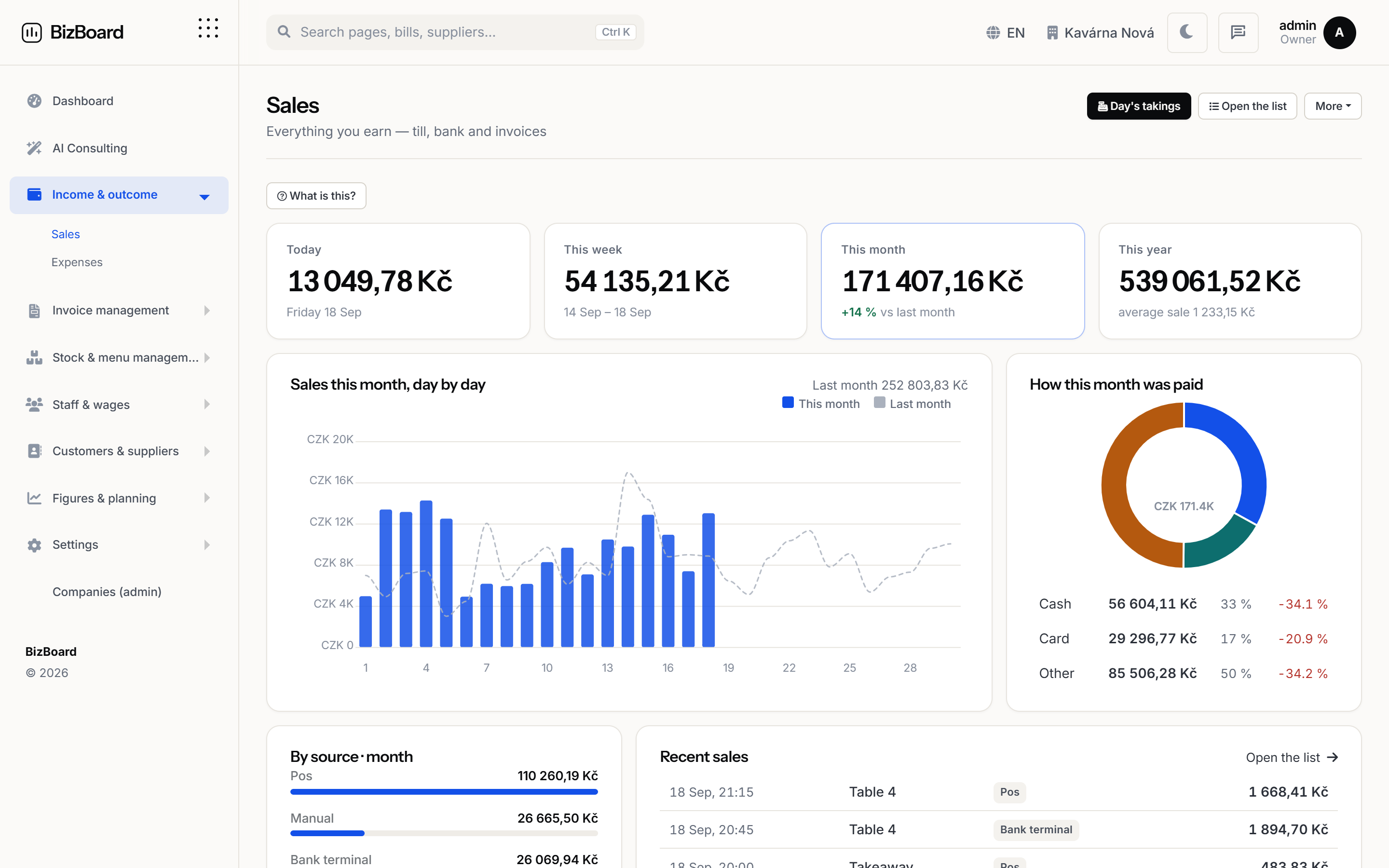 Shown with demo figures
How it works
Step by step, in the order it happens
No magic step in the middle. Each stage says what it does and what it hands to the next one.
- Connect onceEach business gets its own secure address. Point your till or shop at it — directly if it can send a webhook, or through Zapier or Make if it cannot — and that is the setup finished.
- Orders arrive as they happenNot a nightly export you remember to run. A sale rung up at lunch is in the figures at lunch, with its items, its payment method and its time.
- The same sale twice is still one saleTills retry. Delivery platforms resend. Every order carries its own identifier from the source, and a repeat of one already recorded is dropped rather than counted again.
- Stock moves on its ownA dish with a recipe takes its ingredients out of stock as it sells. The reorder list updates while the kitchen is still open, not at the end of the month.
Sold, by product, by hour, by day
Not just a total. What sold, when it sold and what it cost to make, so the question "is this dish worth keeping on" has an answer rather than an opinion.
- Best and worst sellers, against what each one costs you
- Your busiest hours and days, so the rota can match them
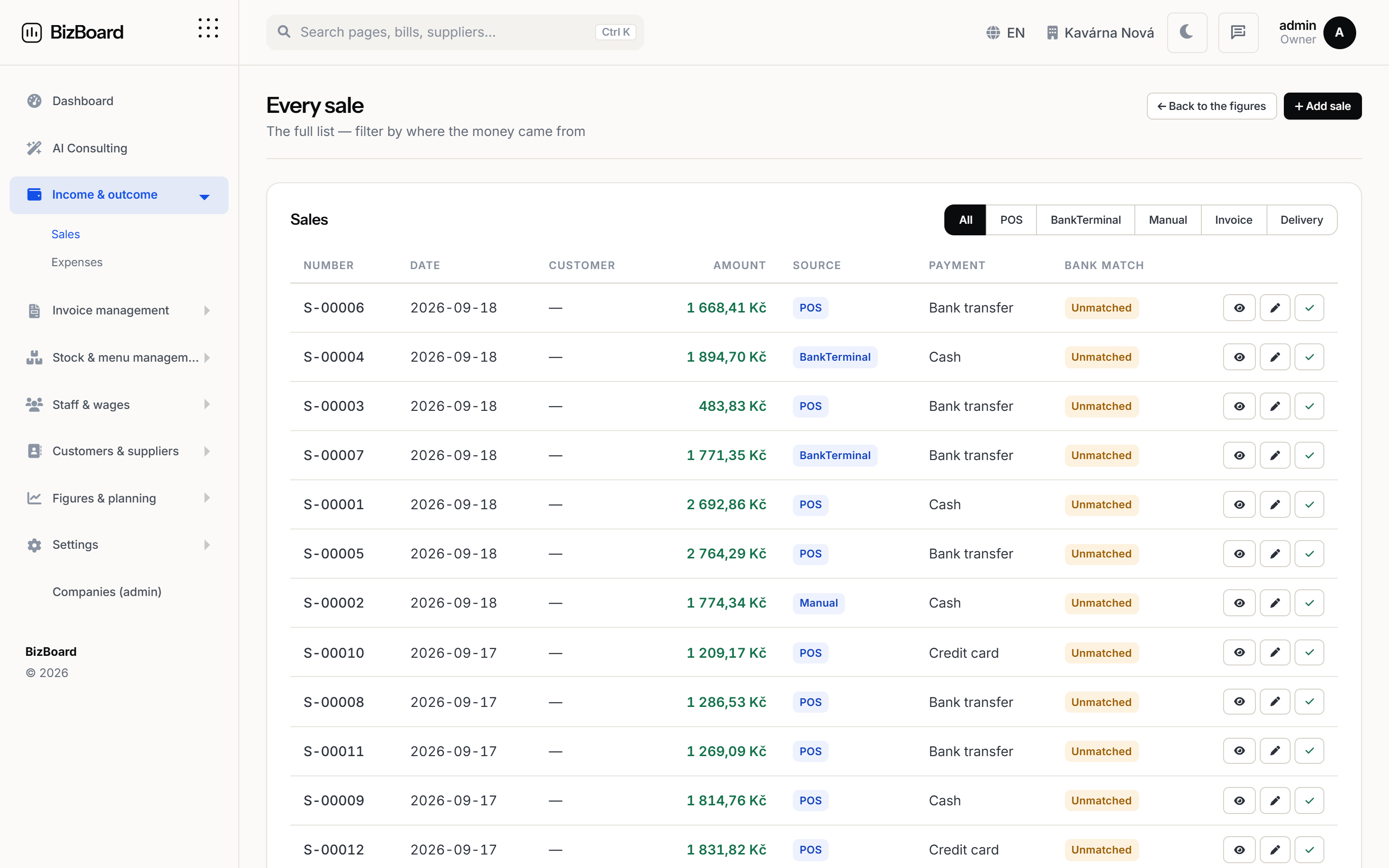
- Sales by source: the room, the QR menu, delivery, online
- This month against last, by day, not just as a total
FAQ
Before you ask
Which tills do you support?
Square, Shopify, WooCommerce, Stripe, PayPal, Clover, Toast, Dotykačka and ChoiceQR connect directly. Anything else that can send a webhook works too, on its own or through Zapier or Make.
What if my POS cannot send anything?
You can import a sales file, and sales can be entered by hand for a venue that needs it. The rest of the product does not depend on the till being connected.
Do delivery orders come in?
Yes, wherever the platform can post an order or the till already receives it. Sales carry their source, so the room, the QR menu and delivery can be told apart.
Put the back office in one place
Set your country, connect your till and your inbox, and let the month close itself.