Invoices and supplier bills
From the inbox to the bank, without the retyping
Supplier bills arrive, get read, get checked by you, land on the payment calendar and come out as a file your bank accepts. The only part that needs a person is the approving.
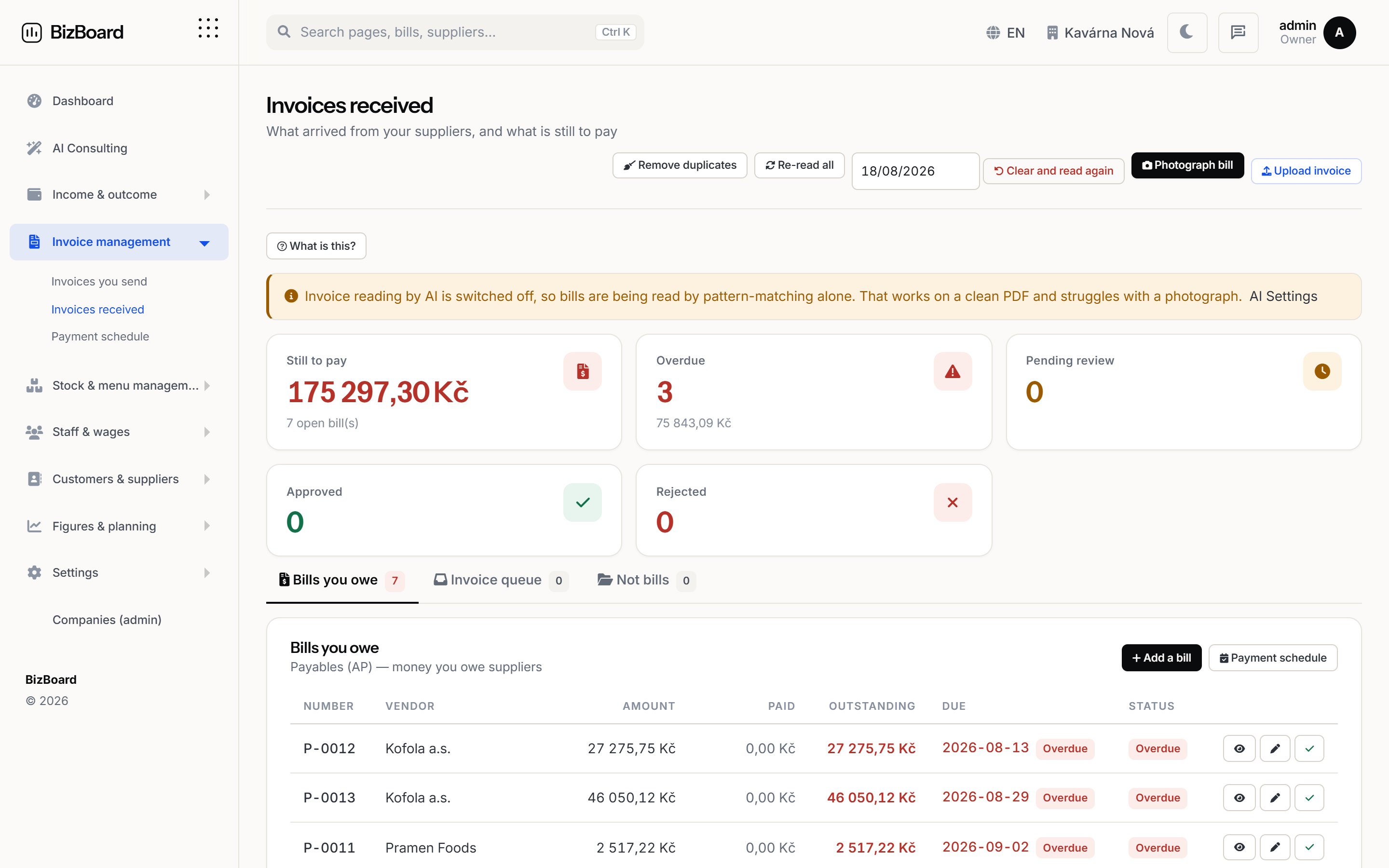 Shown with demo figures
How it works
Step by step, in the order it happens
No magic step in the middle. Each stage says what it does and what it hands to the next one.
- The bill arrivesConnect the mailbox your suppliers already send to, or drag a file in. Bills are picked up as they land, and a second copy of one you already have is spotted and dropped rather than paid twice.
- It gets readThe supplier, the amount, the VAT, the dates, the account number and the variable symbol come out filled in. PDFs, photographs of a paper bill, scans, supplier CSV exports and the EU e-invoice formats all go in the same slot.
- You check and approveEverything the reader was unsure about is flagged rather than guessed at quietly. You see the original alongside the fields, fix anything wrong, and approve.
- It goes on the calendarApproved bills take their place on the payment calendar by due date, with the payment details attached, and you are told before they are due rather than after.
- The bank gets a fileTurn everything due into one SEPA credit transfer, Czech ABO or Swiss QR-bill file and upload it. No retyping account numbers into a banking screen.
Your own invoices, out of the same address book
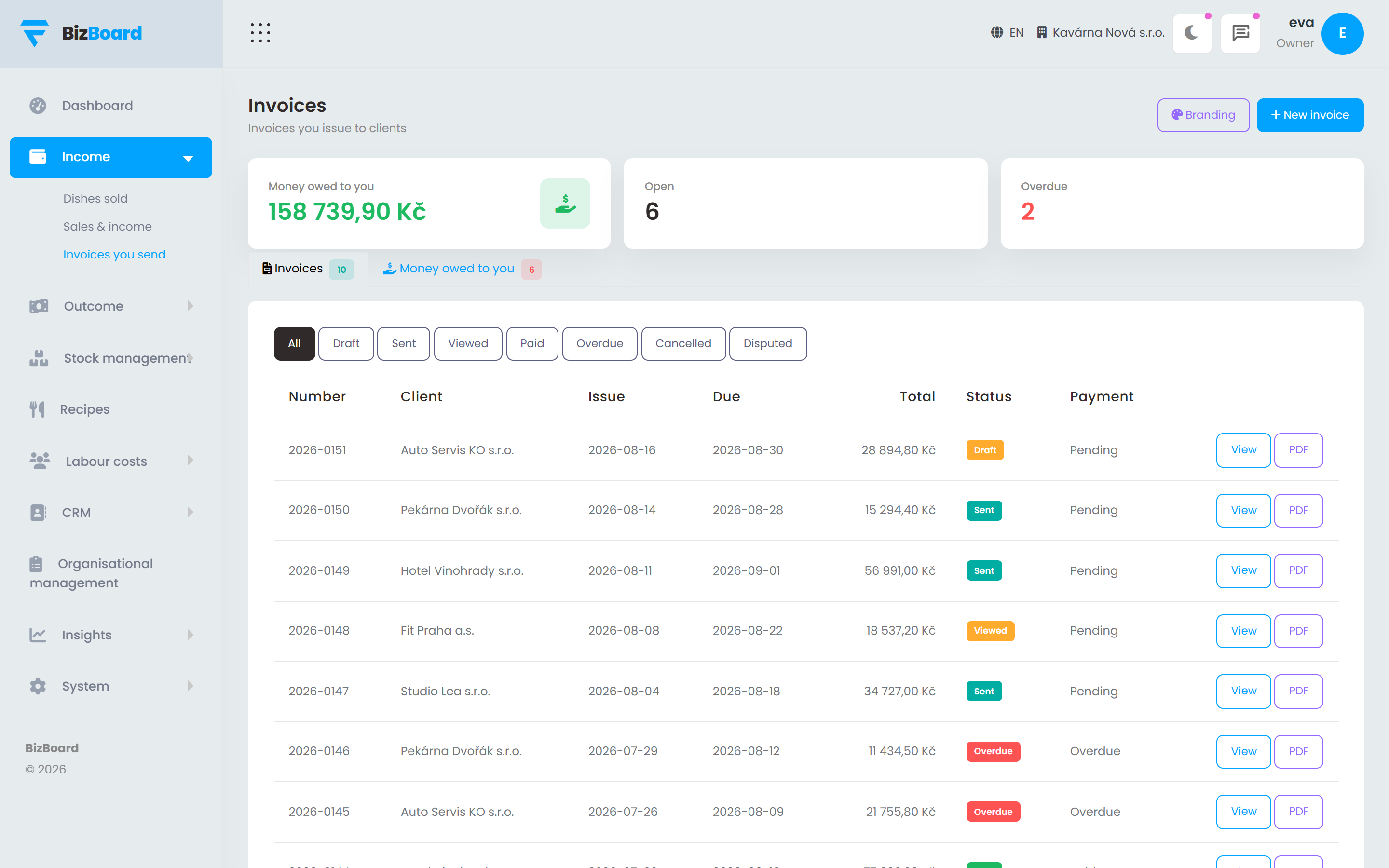
The customer you invoice and the supplier who invoices you are two sides of one contact. Raise an invoice, set the terms, send it, and watch it move from sent to overdue to paid without keeping a second list anywhere.
- Numbering, VAT and the legal wording set for your country
- Payment QR codes on the invoice where your country uses them
- Reminders that go out on their own, at the interval you choose
- A running list of who owes you what, oldest first
Reading that you are allowed to switch off
The built-in reader costs nothing and handles the layouts your regular suppliers use. For a bill that defeats it, connect your own AI key and read that one with a model — your key, your account, your data, and a cap you set so it cannot run away with money.
- Built-in reading is free and needs no key at all
- Your own provider key, never ours, and never shared
- A monthly budget cap per feature
- Turn it on for one thing and leave it off for the rest
The built-in reader costs nothing and handles the layouts your regular suppliers use. For a bill that defeats it, connect your own AI key and read that one with a model — your key, your account, your data, and a cap you set so it cannot run away with money.
FAQ
Before you ask
Which file formats can it read?
PDF, photographs and scans, supplier CSV exports, and the European e-invoice standards: ISDOC, ZUGFeRD and Factur-X, PEPPOL UBL, FatturaPA and Facturae.
Does it need my email password?
No. You connect the mailbox through your provider's own consent screen, and you can withdraw it from there at any time without asking us.
What happens when it reads something wrong?
It tells you it was unsure instead of filing quietly. Anything below confidence is held for you with the original document beside the fields, and the correction teaches the supplier's layout for next time.
Can two people approve bills?
Yes. Owners and managers can both approve; staff never see the bills at all. Every approval records who did it and when.
Put the back office in one place
Set your country, connect your till and your inbox, and let the month close itself.