Shifts, hours and tips
The rota, the hours really worked, and a tip split nobody argues with
Roster the week, let people log what they actually worked, price it while you can still do something about it, and share the tips out by who was on the floor when the money came in.
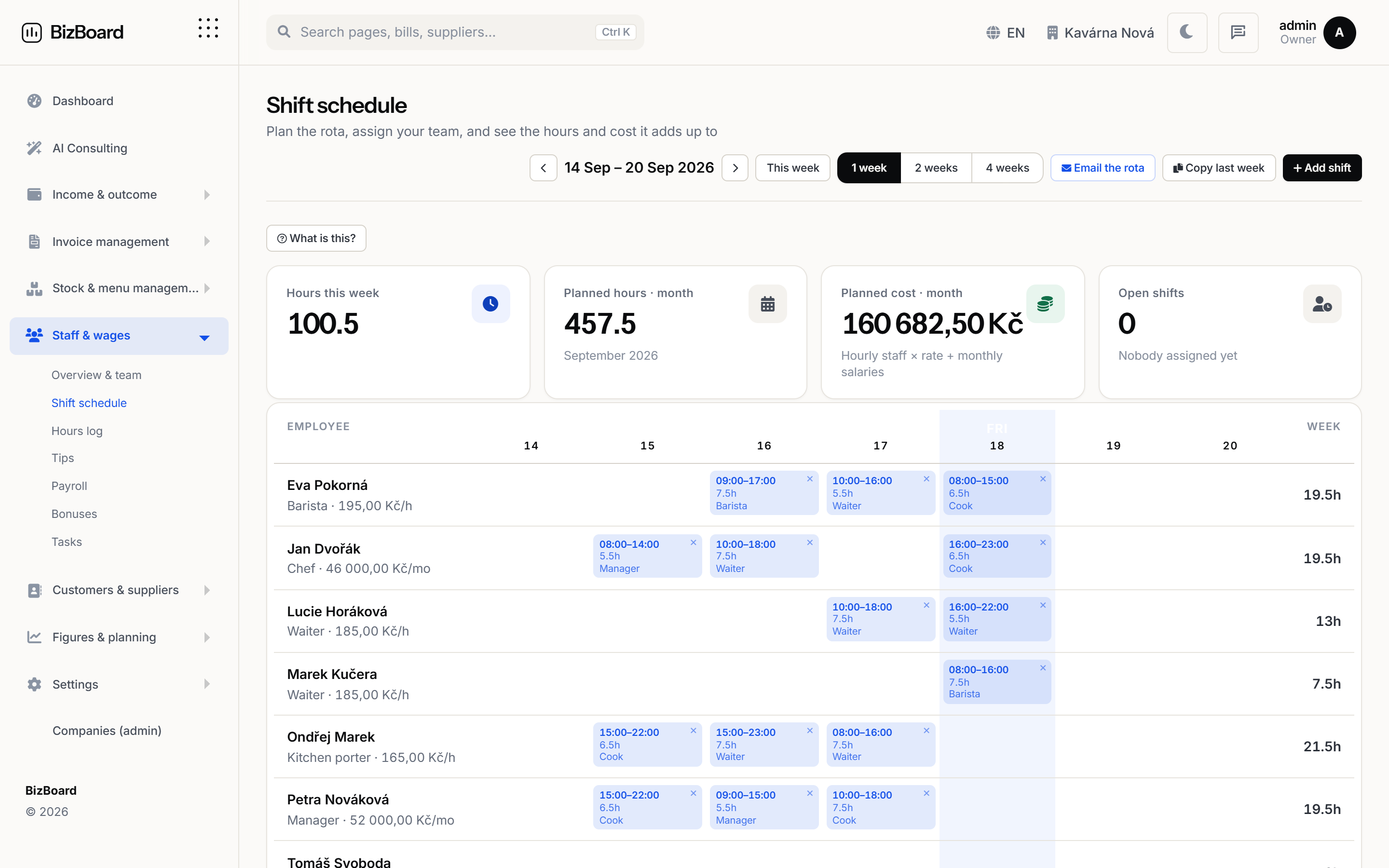 Shown with demo figures
How it works
Step by step, in the order it happens
No magic step in the middle. Each stage says what it does and what it hands to the next one.
- Roster the weekPut people on shifts. Everyone sees their own week when they log in, and nobody has to photograph a piece of paper in the back office.
- Staff log what they workedThe hours people submit are theirs — the rota is the plan, not the record. The two sit next to each other, so the gap between them is visible.
- A manager prices and approvesHours become payroll only once somebody has signed them off. Until then they are a claim, and the app says so.
- Tips go where they were earnedA tip goes to whoever was on the floor when it was rung up. Tips from orders with nobody assigned are shared out by hours worked that day, so nothing is left in a pot with no owner.
A login that shows one person only what is theirs
The owner should not be the only person who can open the app, and letting somebody log their own hours should not mean showing them the revenue. Every page decides for itself who may open it.
- Owner: everything, including money, settings and the AI key
- Manager: the day to day of one venue — stock, rota, bills, tasks
- Staff: their own hours, their own tips, their own tasks, nothing else
- Accountant: the books and the export, never payroll or the bank details
The owner should not be the only person who can open the app, and letting somebody log their own hours should not mean showing them the revenue. Every page decides for itself who may open it.
FAQ
Before you ask
Can staff see the revenue?
No. A staff login shows their own hours, their own tips and their own tasks. Revenue, payroll, invoices and bank details are not on any page they can open.
What if somebody works a shift they were not rostered for?
They log it, and it shows as an hour worked without a matching shift. That difference is exactly the thing a manager wants to see before it becomes payroll.
How are tips handled for delivery or QR orders with no waiter?
Those tips go into the day's pool and are shared by hours worked that day, rather than being assigned to somebody who was not involved.
Put the back office in one place
Set your country, connect your till and your inbox, and let the month close itself.