AI, on your own key
AI that shows its working, or gets switched off
Every figure in BizBoard is arithmetic on your own data and needs no AI at all. Connect your own provider key and AI reads the awkward bills and writes the paragraph on top — on your account, under a cap you set, and off by default until you turn it on.
 Shown with demo figures
How it works
Step by step, in the order it happens
No magic step in the middle. Each stage says what it does and what it hands to the next one.
- You bring the keyOpenAI, Azure OpenAI, Anthropic, or any OpenAI-compatible endpoint including one you host yourself. It is your account and your relationship with the provider — we never resell you tokens, and there is no AI line on your BizBoard invoice.
- You switch on one feature at a timeFour of them, each independently off until you say otherwise: reading supplier bills, sorting expenses into categories, the cash-flow narrative, and the advisor that writes up your week.
- You set the ceilingA monthly call cap, five hundred by default, enforced before the call goes out rather than discovered on a bill. Every call is recorded with what it was for, so the spend is auditable rather than mysterious.
- It only ever sees figures we computedThe advisor is handed the numbers the app worked out — never the raw wording of an invoice, never a note somebody typed into a field. A note that reached a prompt would be a way to tell the reader what to think about the next bill.
- You can turn it all off and lose nothingEvery number on every screen still works. What you lose is the written paragraph over the top and the reading of the handful of bills the built-in reader finds hard.
It already knows this kitchen
A generic reader is handed a supplier name and asked to guess a category, while the database beside it holds forty-two bills from that same supplier all filed the same way. BizBoard hands the model what it has already learned about you before asking it anything.
- Who you actually buy from, and where those bills have been filed
- What you keep on the shelf, in the words you use for it
- Your own headings underneath the fixed expense categories
- Capped hard, so a business with four hundred stock items does not push the document out of the window
Ask it about your own month
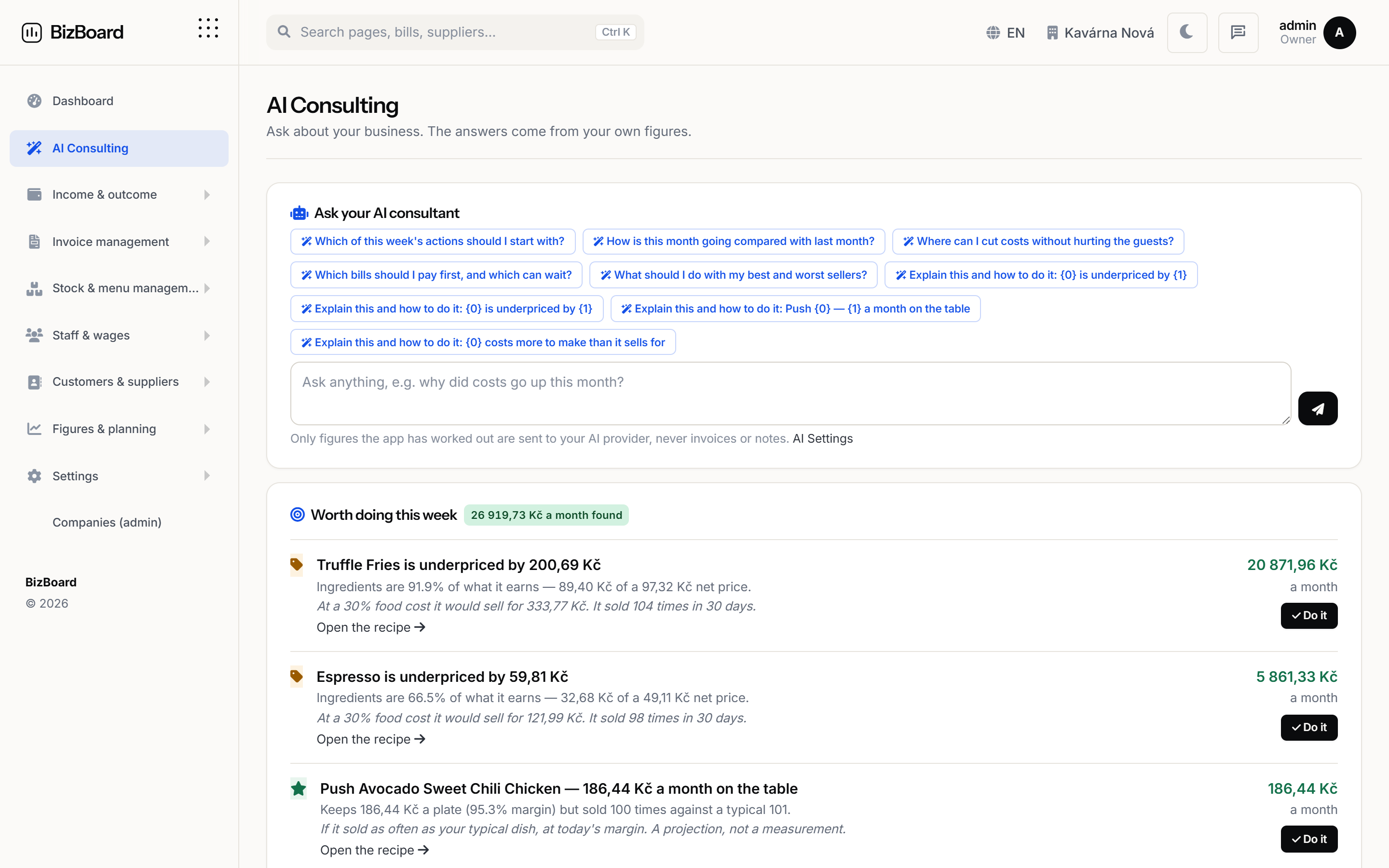
Not one button and one paragraph. The consulting page takes a real question — why food cost moved, which bill can wait, what to cut — and answers it against your figures, then lets you ask again.
- Grounded in the same computed figures, never in free text
- The conversation is capped in length and turns, so a long chat cannot become an unbounded bill
- The facts it was given are visible, so you can check what it was reasoning from
- Answers in the language the page is in
Not one button and one paragraph. The consulting page takes a real question — why food cost moved, which bill can wait, what to cut — and answers it against your figures, then lets you ask again.
When it is off, it says so
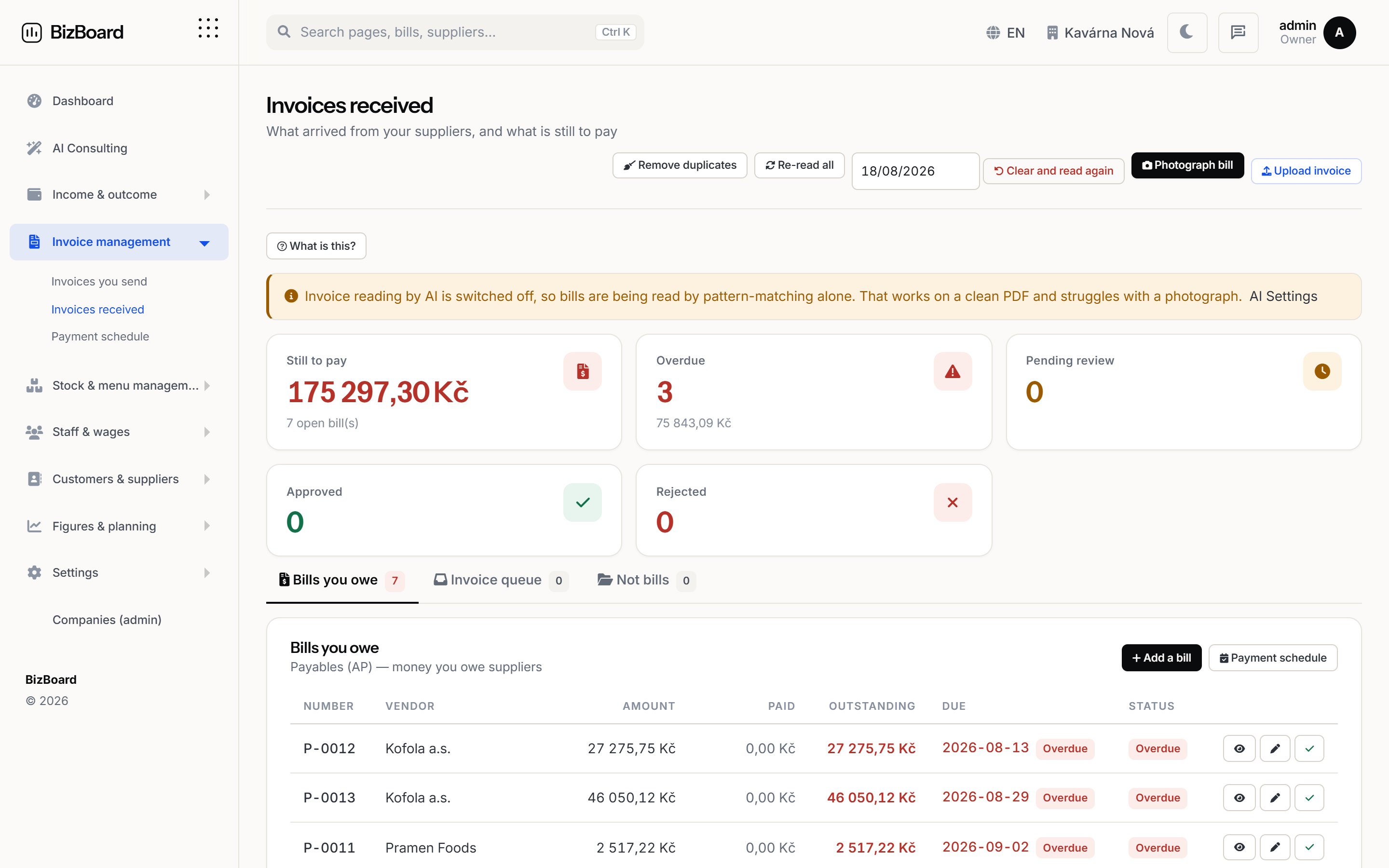
Every AI failure in the bill intake path is swallowed on purpose — a bad key must never stop a supplier’s bill from arriving. That is right, and it also meant a business whose reading was switched off looked exactly like a business whose reading was poor.
- The screen tells you whether reading is on, off, or failing
- And which of the three it is, in a sentence fit to show an owner
- So “the reader is not very good” and “the reader is not running” stop looking the same
Every AI failure in the bill intake path is swallowed on purpose — a bad key must never stop a supplier’s bill from arriving. That is right, and it also meant a business whose reading was switched off looked exactly like a business whose reading was poor.
FAQ
Before you ask
Do I have to use AI at all?
No, and nothing is withheld if you do not. Every figure, report, forecast and weekly action is arithmetic on your own data. AI adds the written summary and helps with bills the built-in reader finds hard.
Which providers can I use?
OpenAI, Azure OpenAI and Anthropic directly, plus any OpenAI-compatible endpoint — OpenRouter, a self-hosted model, or something on your own hardware.
What does it cost?
Nothing from us. You pay your provider directly at their rates, and you set a monthly call cap so it cannot run away. There is no AI surcharge on your subscription.
Is my data used to train a model?
Not by us, and we ask providers not to. We send a no-training signal where the provider supports one, and your provider’s own terms govern the rest — which is one advantage of it being your account rather than ours.
What exactly gets sent?
For the advisor and the forecast: figures the app computed. For bill reading: the document you uploaded, because nothing can redact a photograph — and the app says so at the point of upload rather than afterwards.
Put the back office in one place
Set your country, connect your till and your inbox, and let the month close itself.